Artistic Exploration with Midjourney 5.2: The Artist's Journey
A walkthrough of a Midjourney 5.2 zoom-out experiment, from prompts and seasonal scenes to CapCut editing.

Originalmente publicado por mim em inglês no Paragraph.
It all began when I discovered the latest release of Midjourney. Curiosity sparked within me, prompting me to put the Zoom-out features to the test and share with my Instagram friends.
Join me as I share the steps I took and the prompts I used to create a captivating video that showcases the artistic exploration I embarked upon.
Setting the Stage with a Midjourney Prompt
To begin my artistic journey, I selected the following prompt: “An illustration of a cute girl, super closeup on the face, in the style of Pendleton Ward from Adventure Time.”
This prompt allowed me to explore different styles within Midjourney, beyond the typical photography style.
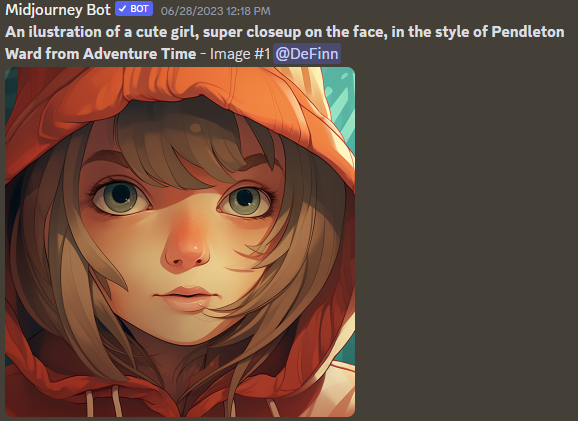
The “closeup” type of image is extremely important to give us room to create different surroundings but with a fixed character. Tweak your prompt until you get a good close-up.
Exploring the Four Seasons with Custom Zoom Out Prompts
Next, I wanted to capture the essence of the four seasons. Using custom zoom out prompts with an aspect ratio of 3:2, I ventured into different landscapes:

We can put our character in different scenarios with the custom zoom-out feature!
- “In a snowy environment --ar 3:2 --zoom 2”
- “In a sunflower field --ar 3:2 --zoom 2”
- “In an environment full of autumn leaves --ar 3:2 --zoom 2”
- “In a paradisiac beach, with dolphins in the distance --ar 3:2 --zoom 2” (note: dolphins request didn't work well)
- “In a paradisiac beach --ar 3:2 --zoom 2”
Introducing the Glass Orb Concept
During my exploration, I noticed a slight warping effect caused by Midjourney as I kept zooming out, see image below. To address this, I devised a simple solution: placing the entire scene within a glass orb.

I must confess that the autumn orb image is my favorite from all this experiment.
Prompt: “In a glass ball --ar 3:2 --zoom 2.”
This approach not only mitigated the warping effect, but also sparked the idea of multiverses. The glass orb became a gateway to endless artistic possibilities.
Expanding the Multiverse with Glass Balls in the Forest
Eager to delve deeper into the concept of multiverses, I introduced additional glass balls within a realistic forest scene, after zooming out the first one a couple of times.
I wanted that each glass ball represented a different season, further enhancing the interconnectedness and enchantment of the artistic narrative. Cracking this prompt wasn’t that easy, a lot of tests were made until I got almost exactly what I wanted.
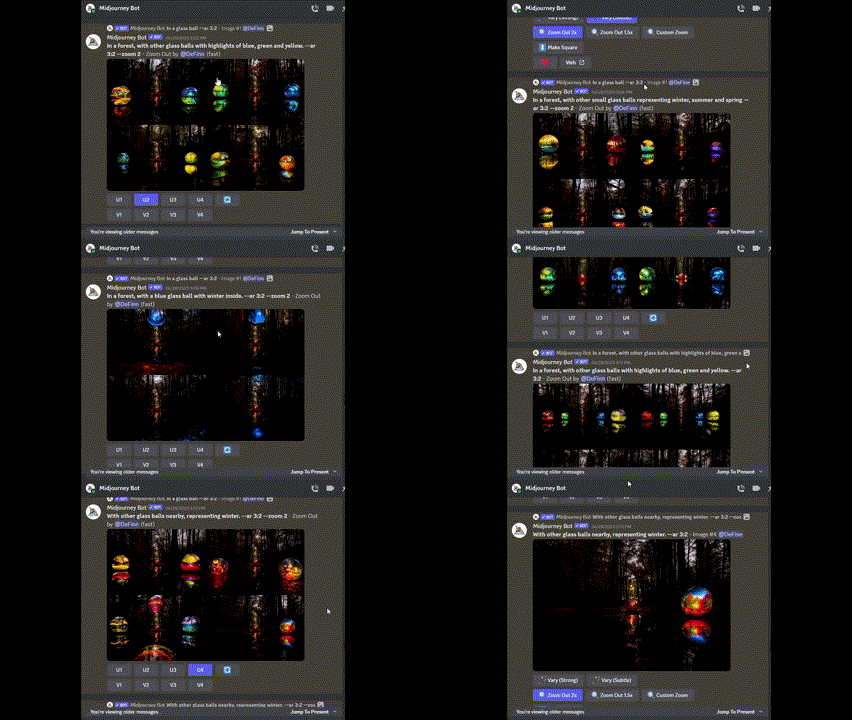
In the end, the prompt that worked better was: “With other glass balls nearby, representing winter. --ar 3:2 --zoom 2”.

Encasing the Forest in a Universe Orb
To heighten the sense of wonder and interconnectedness, I encapsulated the forest within another glass orb, drawing inspiration from the iconic universe orb in the movie “Men in Black.”

Ok maybe THIS is my favorite output.
Here I did a trick: Since I was already planning to make this orb fit into a cat’s eyeball, I actually generated this image below first, with a 2:3 aspect ratio. Then, from that image I generated the 3:2 picture above just to fit well in the final animation.
Changing the aspect ratio during custom zoom-out opens a lot of intriguing possibilities.

You can change the aspect ratio in the Custom Zoom Out feature
The Enigmatic Cat Eye
As a lover of felines, I couldn't resist incorporating a cat character into my artistic exploration. I focused on illustrating a captivating cat's eye on the outside of the multiverse glass balls forest, and coming back to the 3:2 aspect ratio.
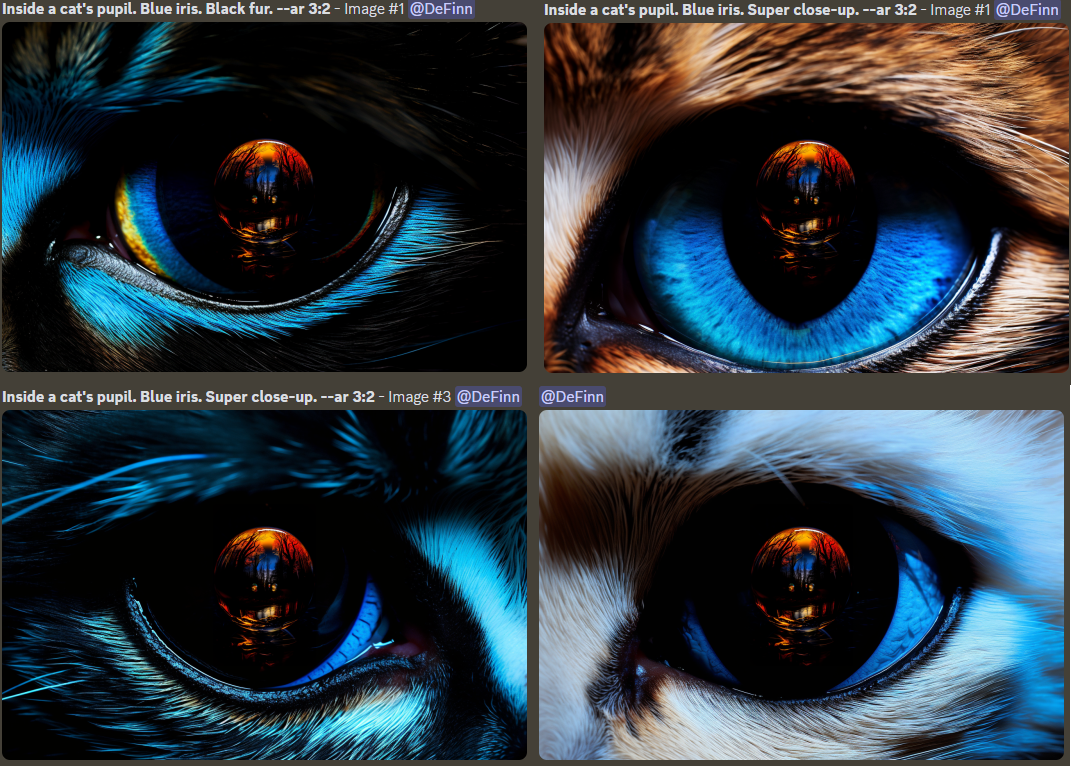
Through iterations and variations, I perfected the cat-eye illustration, mirroring the iterative nature of the artistic process itself. The prompt I used was: “Inside a cat's pupil. Blue iris. Super close-up. --ar 3:2” with some fur variations.
Revealing the Cat and Traveling Through the Seasons

As for the girl from the beginning, here is also important to ace the close-up image to make the “multiverse travel” effect work.
With one of the enigmatic cat's eyes as gateway, I unveiled the cat character with a couple of zoom-out and embarked on a journey through the seasons.
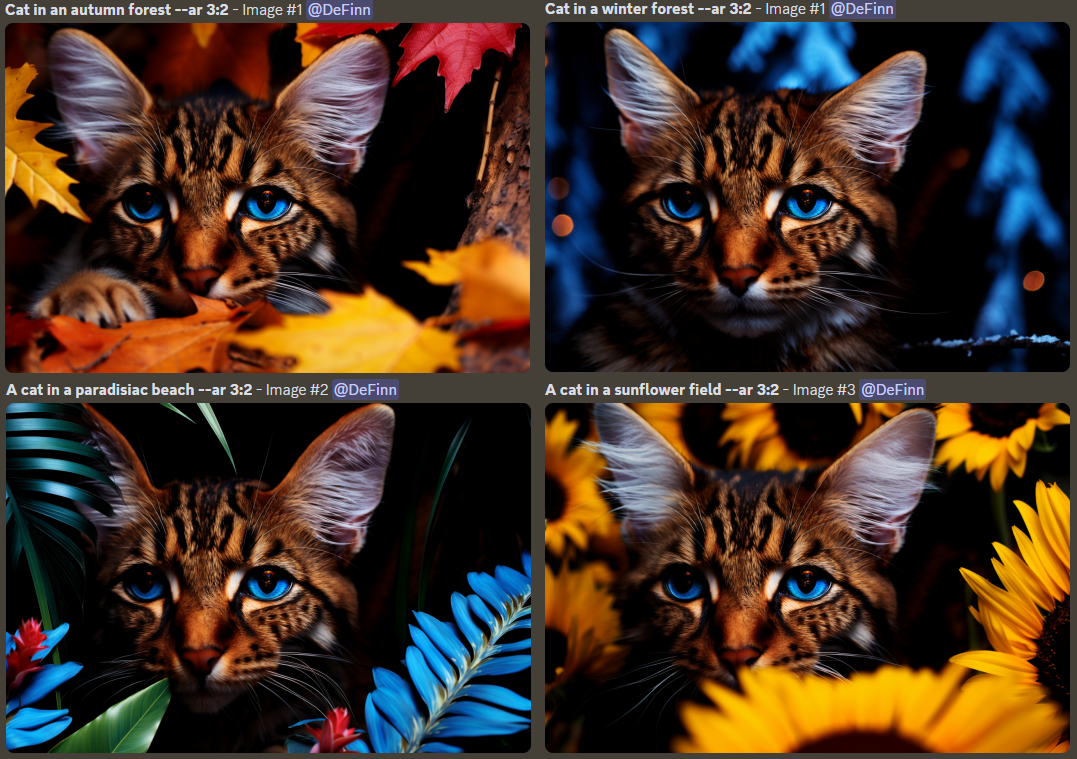
Realism blended seamlessly with fantasy as the cat traversed different seasonal landscapes, creating a captivating visual narrative.
Framing the Paradisiacal Beach Artwork
The beauty of the paradisiacal beach scene inspired me to frame it within an artwork. The flowers, the cat, and the ocean in the background revealed a beautiful composition after a zoom-out.
So, I added a frame!

Prompt: “An artwork in a frame, in a gallery. --ar 3:2 --zoom 2”
Exploring Other Worlds
Driven by curiosity, I took the framed artwork on a cosmic tour of landscapes. At first, I tried a voxel art forest, but it didn’t make it to the final piece because I thought it was too much forest.
But the outputs were great and I definitely want to explore voxel more in the future.

Imagine these in a video game.
Look at this zoom-out of the first output 🤩

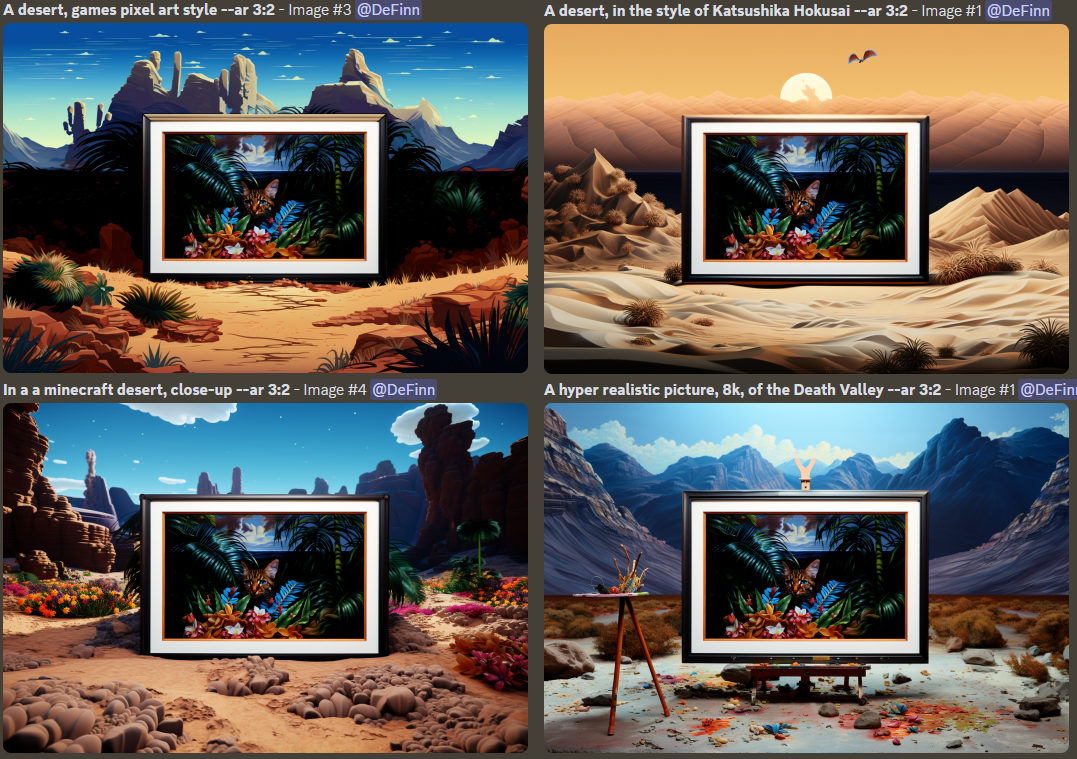
Beautiful but no….I’m fine with tropical flowers for now. To create a contrast, I decided to give deserts a chance.
With different art styles, including pixel art, Minecraft-inspired scenes, hyperrealistic vistas, and a nod to Katsushika Hokusai's style, I ventured into a world brimming with diversity and artistic expression.
Bringing it Full Circle with the Red Hood
As my artistic journey drew to a close, I felt a desire to create a meaningful connection. The final prompt featured a man with a red hood holding a painting against a black background.

You can see it wasn't too easy to nail a realistic composition here.
This poignant image symbolized the culmination of my artistic exploration and the profound impact art can have on our lives. And the red hood links to our first character in the beginning.
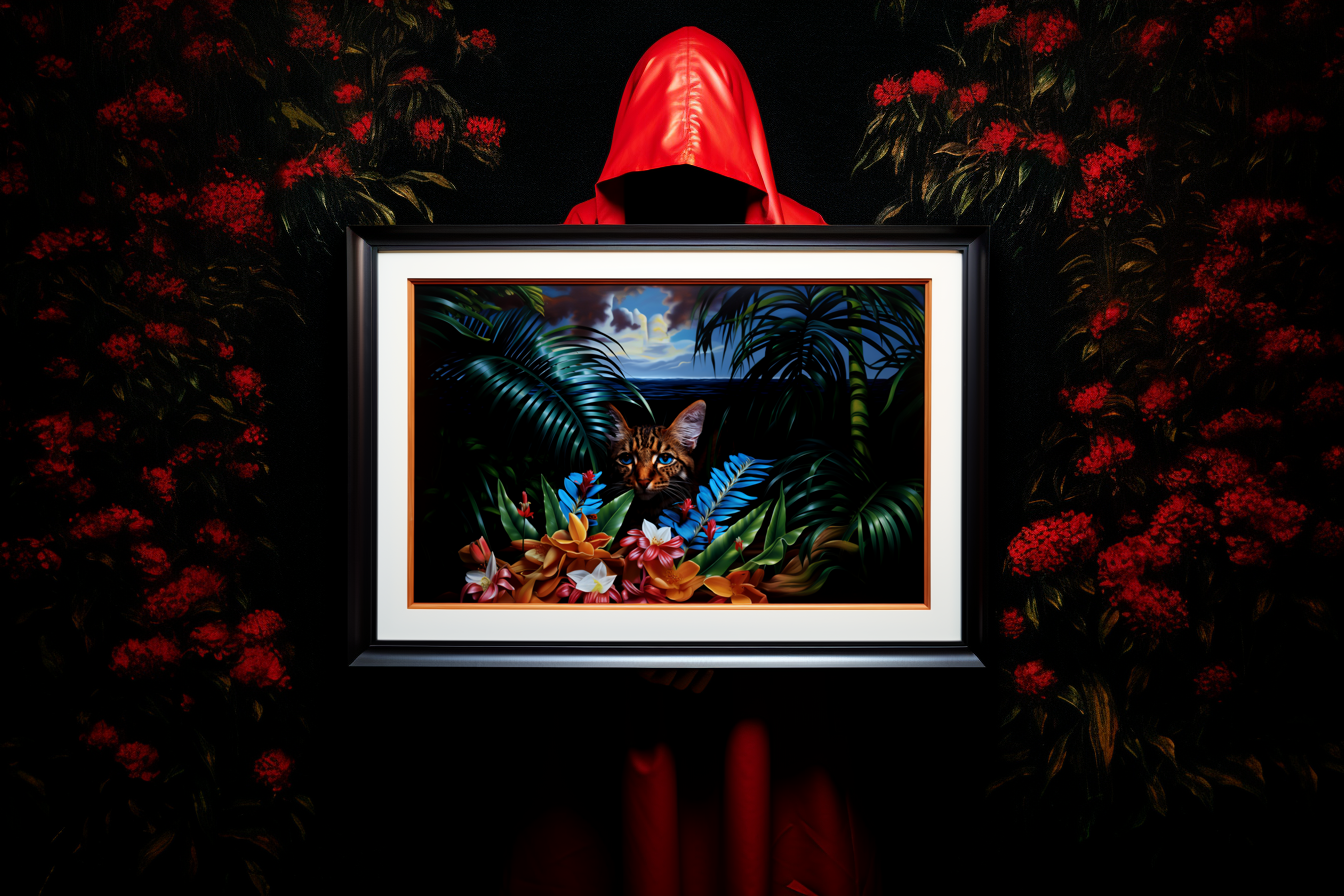
Finally, I got it! Prompt: A man with red hood holding the painting. Black background. --ar 3:2
Post-Processing and Editing in CapCut
After completing the prompts in Midjourney, I turned to CapCut for the post-processing and editing phase. Capcut is a powerful editing tool that allowed me to enhance and refine the visual elements of my video. Here are some of the features I utilized:
- Alignment: I aligned the individual images generated by Midjourney to create a seamless visual flow. This ensured that each frame transitioned smoothly into the next, maintaining the coherence of the video.
- Synchronization to Music: To enhance the emotional impact of the video, I synchronized the images to a chosen song, with “epic” theme. I timed specific transitions and visual cues to align with the beats and rhythm of the music, improving the viewing experience.
- Zoom 1 Entry Animation: Between the zoom-out scenes, I employed Capcut's "zoom 1" entry animation to add a subtle and visually appealing effect. For most images I set the movement to last almost as long as that frame.
- Clean Cuts: During the sections where the chosen character (the girl, the cat, or the frame) traveled through different seasons, I opted for clean cuts. Clean cuts involve directly transitioning between frames without any additional animation. This technique created a crisp and impactful change between the different landscapes.
- Varied Frame Durations: To maintain viewer engagement and avoid monotony, I carefully adjusted the frame durations throughout the video. By varying the length of each frame, I ensured that the pacing remained dynamic and engaging, capturing the viewers' attention.
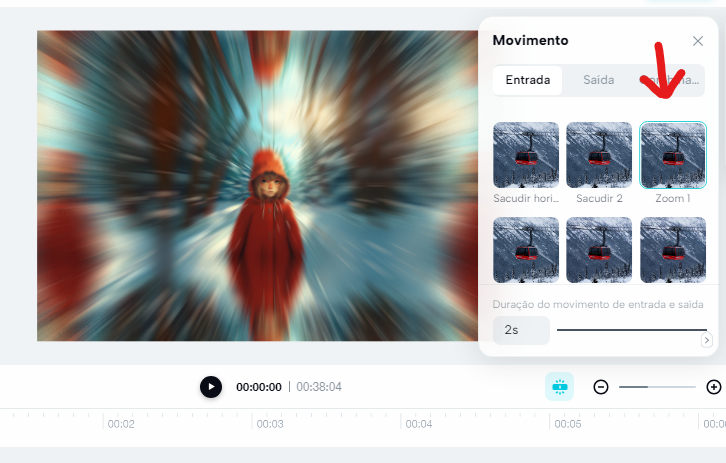
Zoom entry animation
The combination of these CapCut features allowed me to craft a visually stunning and emotionally captivating video.
The editing process was a meticulous endeavor, ensuring that every frame and transition harmonized with the overarching narrative I had in mind.
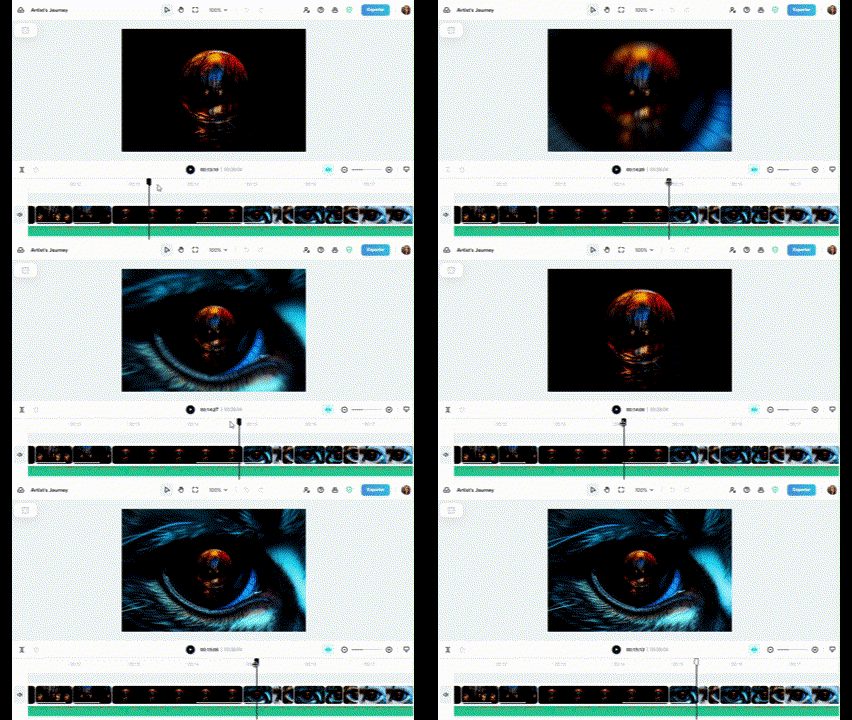
This is the only section where I combined a zoom-in, with a zoom-out.
By sharing my creative process and the prompts I used, I hope to inspire fellow AI artists to embark on their own artistic odyssey.
Thank you reading this far and following me on this journey.